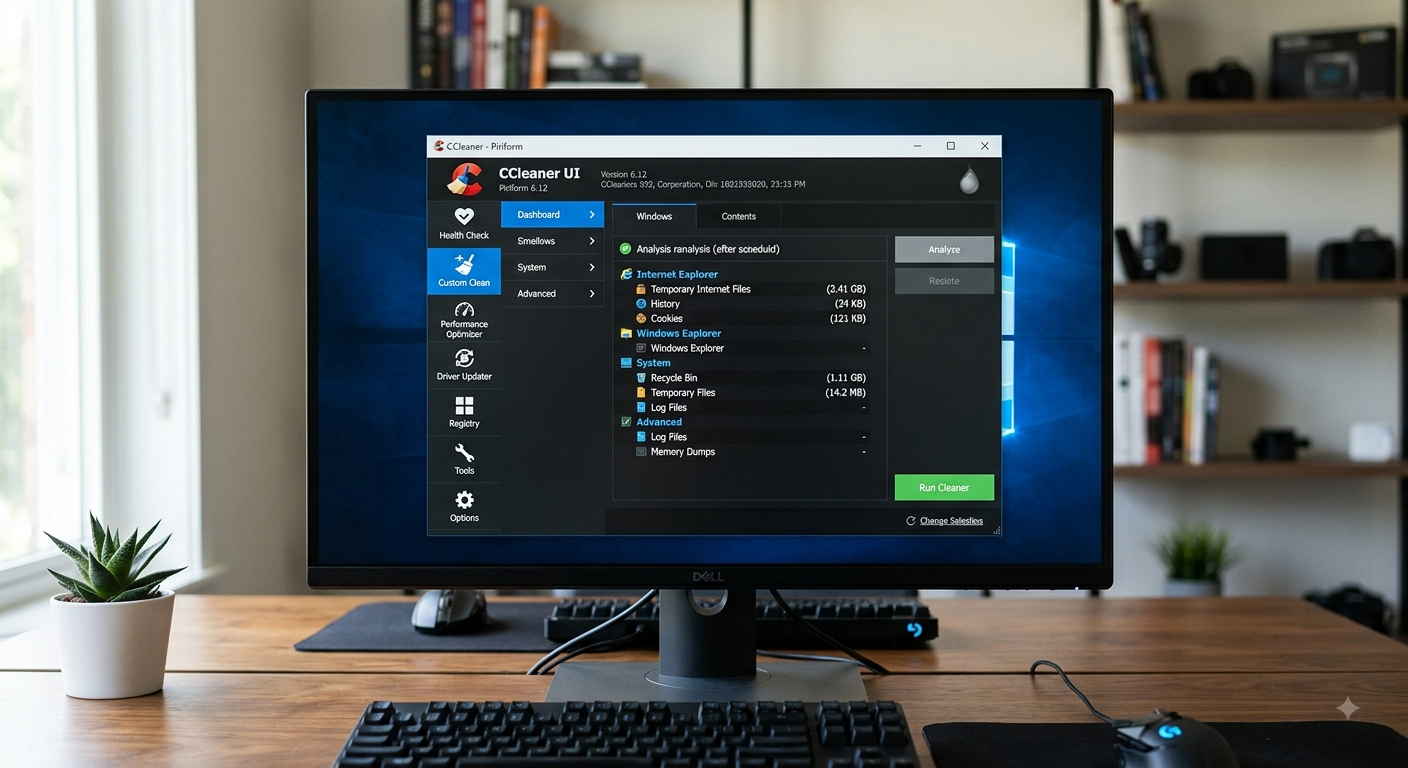
Operating systems accrue computational bloat over prolonged usage cycles. Applications store cache, software installations leave orphaned keys in system databases, and web browsers generate thousands of persistent cookies and temporary internet files. CCleaner, developed by Piriform (a subsidiary of Gen Digital), is a utility software engine designed to perform targeted file system hygiene, system registry optimization, and privacy enforcement across Windows and macOS environments.
1. System Cleanup Engine Mechanics
At its core, CCleaner acts as a rule-based file system scraper. Instead of performing indiscriminate disk deletion, it leverages system-level APIs and pre-configured path definitions (winapp2.ini rule files) to target specific, transient directory locations.
File System Targeting Matrix
CCleaner segregates data sanitization into distinct subsystem categories:
| Target Subsystem | File Types & Directories Cleaned | Technical Impact |
| System Cache & Temp | %TEMP%, C:\Windows\Temp, Prefetch Files | Frees storage; clears outdated program runtime binaries. |
| Windows Explorer | MRU lists, Thumbnail Cache (thumbcache_*.db), Recents | Removes operational metadata trace files. |
| Web Browsers | SQLite DBs (Cookies, History), Web Storage, Cache | Clears tracking session tokens and shrinks index files. |
| Memory Dumps | MEMORY.DMP, Minidumps, Windows Error Reports | Reclaims multi-gigabyte spaces post-BSOD events. |
[System Path Targeting Flow]
User Initialization ──> Evaluate winapp2.ini Rules ──> Resolve %ENV% Paths ──> File System Query ──> Safe Unlink (Delete)
By resolving system environment variables dynamically, CCleaner avoids hardcoded path errors, safely executing deletion tasks across varied OS installations and user accounts.
2. Registry Cleaner Architecture
The Windows Registry operates as a centralized hierarchical database containing configuration settings for hardware devices, system services, and third-party software. Over time, improper software uninstallations yield orphaned registry keys—entries pointing to nonexistent Dynamic Link Libraries (.dll), broken COM/ActiveX interfaces, or missing file extension associations.
Registry Parsing and Validation Mechanism
CCleaner scans the Registry by traversing key paths under root hives:
HKEY_LOCAL_MACHINE\SoftwareHKEY_CURRENT_USER\SoftwareHKEY_CLASSES_ROOT
It performs structural verification using the following process:
- Key Extraction: Scans subkeys for path parameters and references to executables or registration libraries.
- Path Verification: Performs file existence checks (e.g., calling system API checks like
PathFileExists()) on target paths. - Orphan Flagging: Flags key paths that return negative file handles or broken Class IDs (
CLSID). - Backup Generation: Prompts creation of a
.regfile containing full key structures before purging entries from memory.
Technical Precaution: Uncontrolled registry modifications risk breaking critical system dependencies. CCleaner reduces this risk by limiting its cleanup routines to high-level application pointers rather than core Windows core system kernel hives.
3. Privacy Enforcement and Data Sanitization
Standard file system deletion via the Windows API simply marks a file’s cluster space in the File Allocation Table (FAT) or Master File Table (MFT) as “available.” The underlying binary data remains physically written to disk sectors until overwritten, making recovery via forensics software trivial.
Storage Sanitization Algorithms
CCleaner provides secure data sanitization via standard cryptographic overwriting methods:
- Simple Overwrite (1 pass): Replaces existing bits with zeroes.
- DOD 5220.22-M (3 passes): Overwrites data with fixed characters, complements, and random bit patterns.
- NSA standard (7 passes): Performs sequential multi-pass overwrites to disrupt residual magnetism.
- Gutmann Method (35 passes): Uses specific patterns targeted against legacy magnetic storage recording encoding schemes.
[Drive Wiper Engine]
File Allocation Tag Removal ──> Sector Pattern Invalidation (Multi-Pass Write) ──> Disk Controller Cache Flush
Additionally, CCleaner incorporates a Free Space Wiper, which applies these algorithms specifically to unallocated sectors on traditional HDDs, permanently destroying residual remnants of previously deleted files without affecting active system structures.
4. System Optimization Tools and Process Management
Beyond storage sanitation, CCleaner incorporates system optimization modules aimed at resource management and boot latency reduction.
Startup and Scheduled Task Manager
When Windows boots, it launches auto-start programs listed in specific registry locations (HKLM\SOFTWARE\Microsoft\Windows\CurrentVersion\Run) and Task Scheduler queues. CCleaner exposes these entries in a unified management pane, allowing users to disable, enable, or delete autorun processes.
By disabling non-essential background processes (such as update helpers and sync tools), users reduce overall RAM usage and eliminate CPU cycle overhead during OS boot sequences.
Software Uninstaller Interface
Rather than replacing the native Windows Installer engine, CCleaner hooks directly into the system’s uninstall strings recorded in:
HKLM\SOFTWARE\Microsoft\Windows\CurrentVersion\Uninstall
It executes the default uninstaller executables while providing capabilities to rename or forcibly remove uninstalled program entries from the system registry list when default uninstallation routines fail.
5. Best Practices for Technical Administration
To maintain optimal system health without compromising OS integrity, IT professionals and system administrators should follow key operating principles when using CCleaner:
- Automate pre-cleaning registry backups: Always export
.regsnapshots before running registry cleaning tasks to ensure simple rollback capabilities. - Exclude solid-state drives (SSDs) from multi-pass wiping: Solid-state drives use wear-leveling algorithms and do not store data magnetically. Multi-pass wiping offers no extra forensic security over single-pass TRIM operations while causing unnecessary write wear on flash memory controller cells.
- Utilize Custom Clean profiles: Tailor cleaning rules to preserve persistent application states, such as saved browser passwords, session state tokens, or authorization cookies for production environments.
Through systematic execution of temporary file purging, structured registry analysis, and secure erasure algorithms, CCleaner serves as a versatile utility engine for maintaining system health, reclaiming storage resources, and safeguarding user privacy across workstation fleets.
Also Read: The Evolution of the Modern Trail: A Deep Dive into Spypoint Technology – My Tech Blaze
Source: CCleaner – Download and install on Windows | Microsoft Store